See the Automation in Action

A quick walkthrough of how Pool Billing Software automates billing, routing, field operations, and customer management. Click any screenshot to enlarge.

6 key areas ~3 min read Real screenshots
1

Onboarding & Dashboard

A guided setup wizard configures your company profile, payment gateways, portal settings, and email preferences. Once complete, your dashboard provides a real-time operational overview — customers, revenue, upcoming services, and team activity.
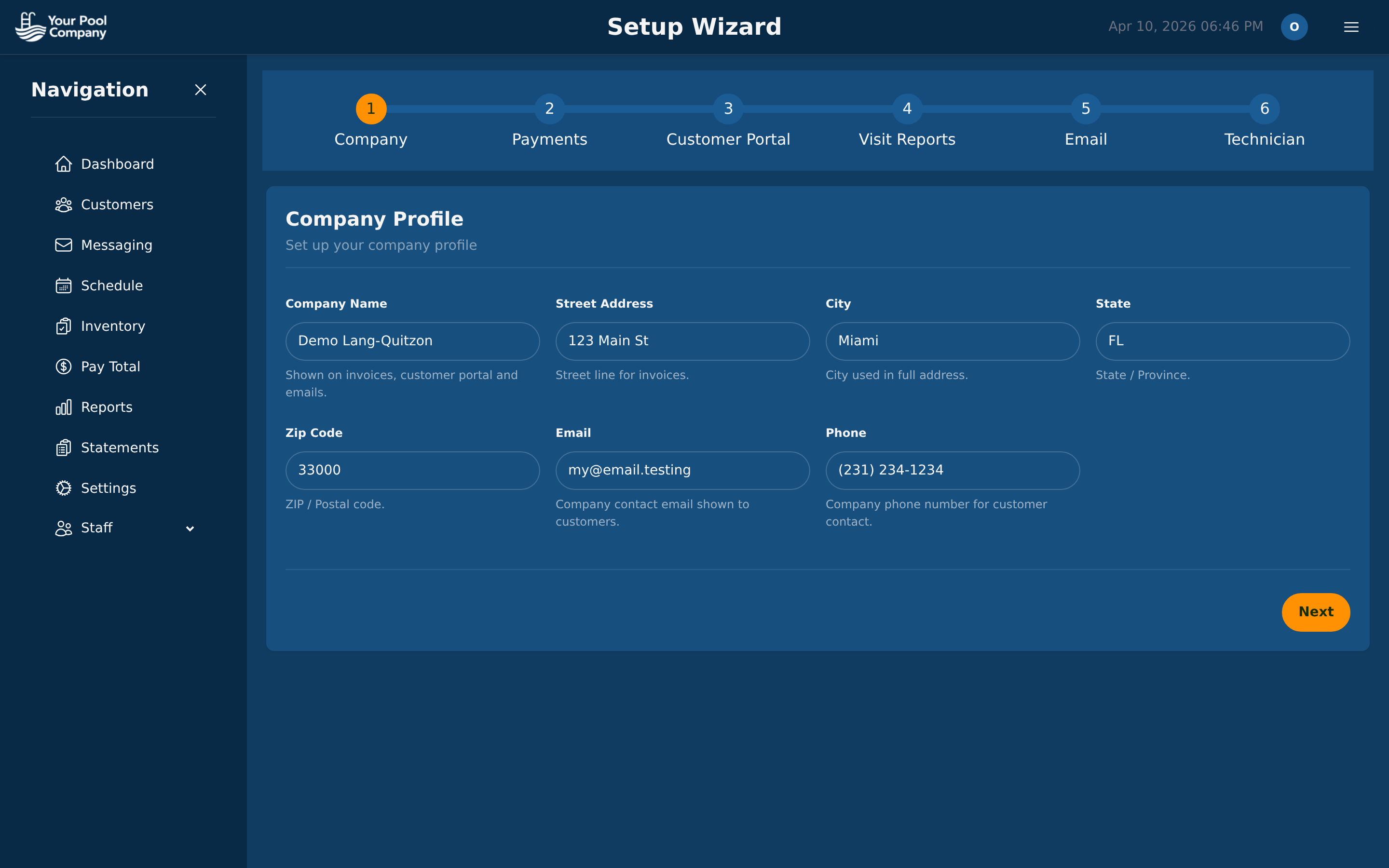
Pool Billing Software setup wizard configuring company profile, payment gateways, and portal branding

Setup Wizard — configure your business in minutes
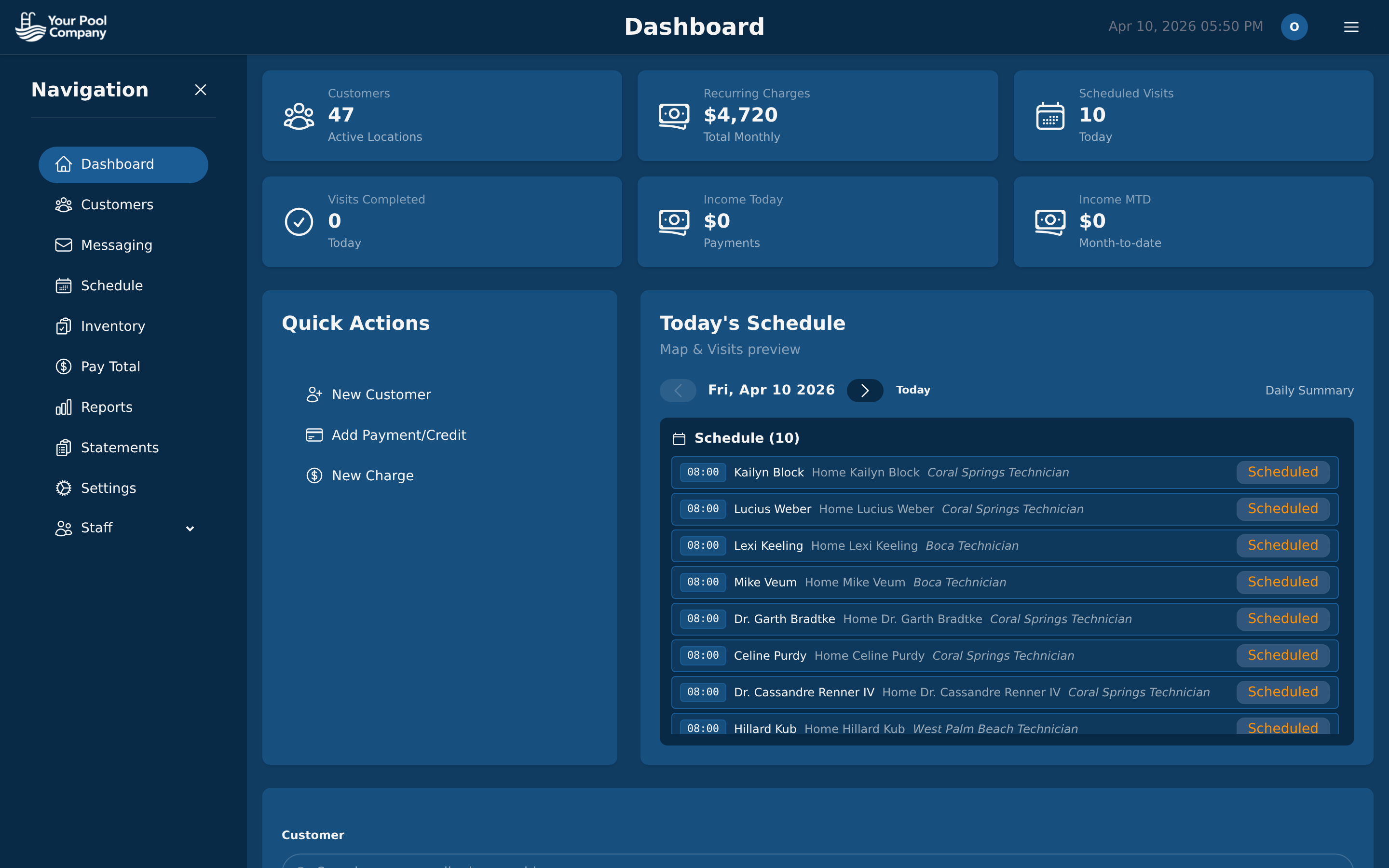
Pool Billing Software operational dashboard showing revenue, customer count, and today's service schedule

Dashboard — your real-time business pulse
2

Customer Management

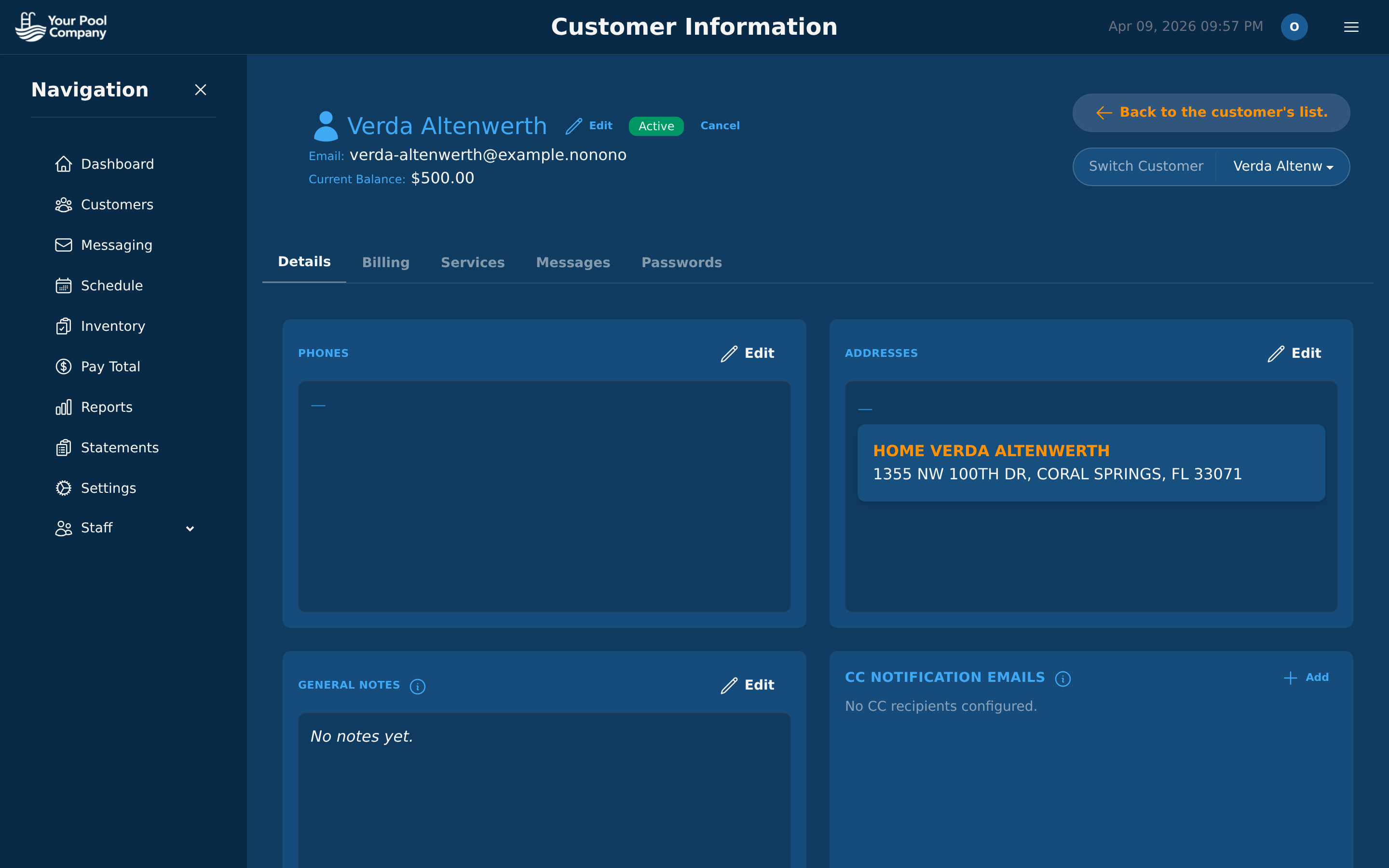
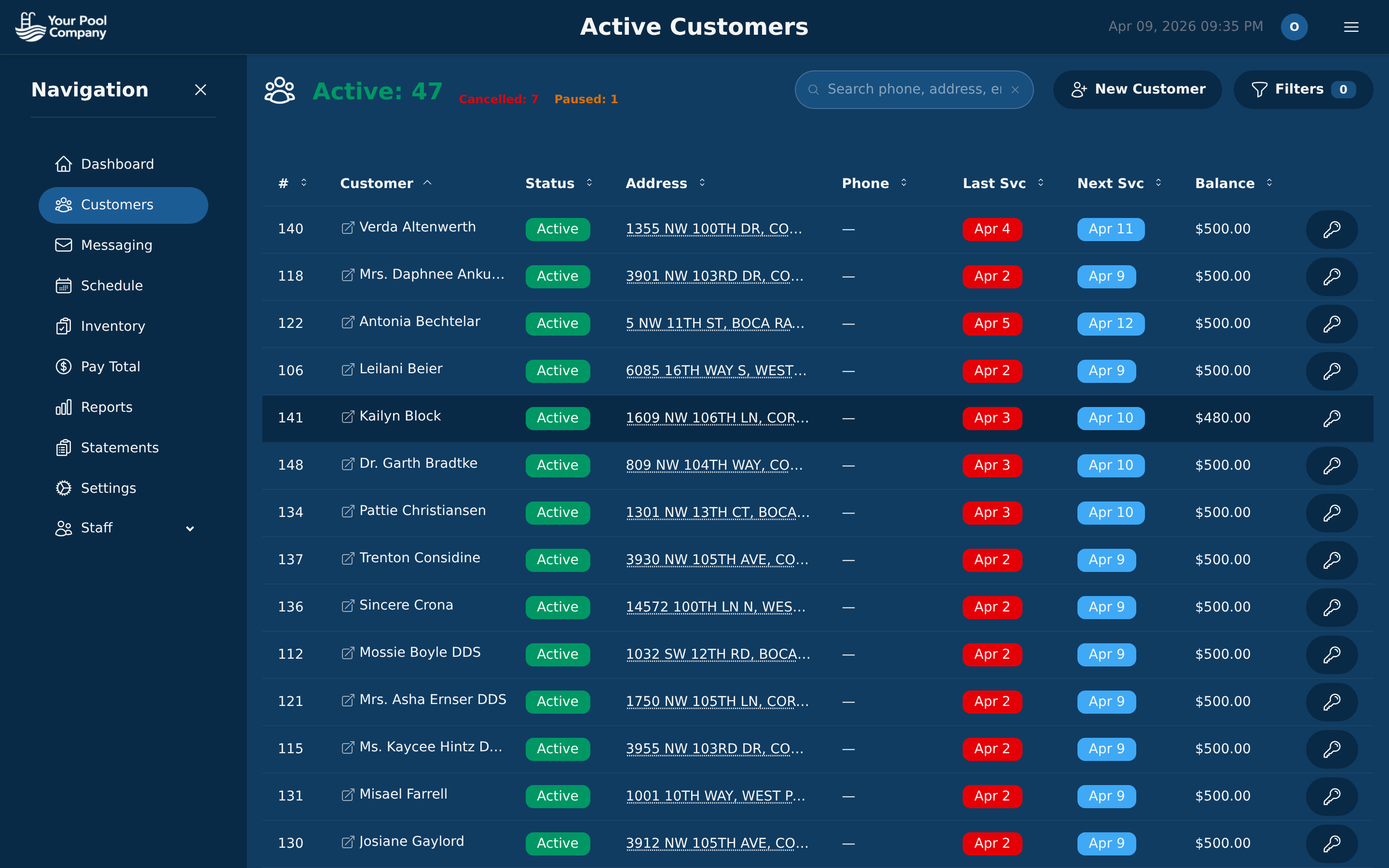
View your entire customer base with billing status, last service date, next scheduled visit, and outstanding balance. Click any customer to access their complete profile — billing history, services, messages, and portal impersonation.

Pool Billing Software customer list with status indicators, balances, and service schedule columns

Customer List — status, balance, and schedule at a glance

Pool Billing Software customer detail page with contact information, service addresses, and billing tab

Customer Detail — everything about one account

3

Automated Billing

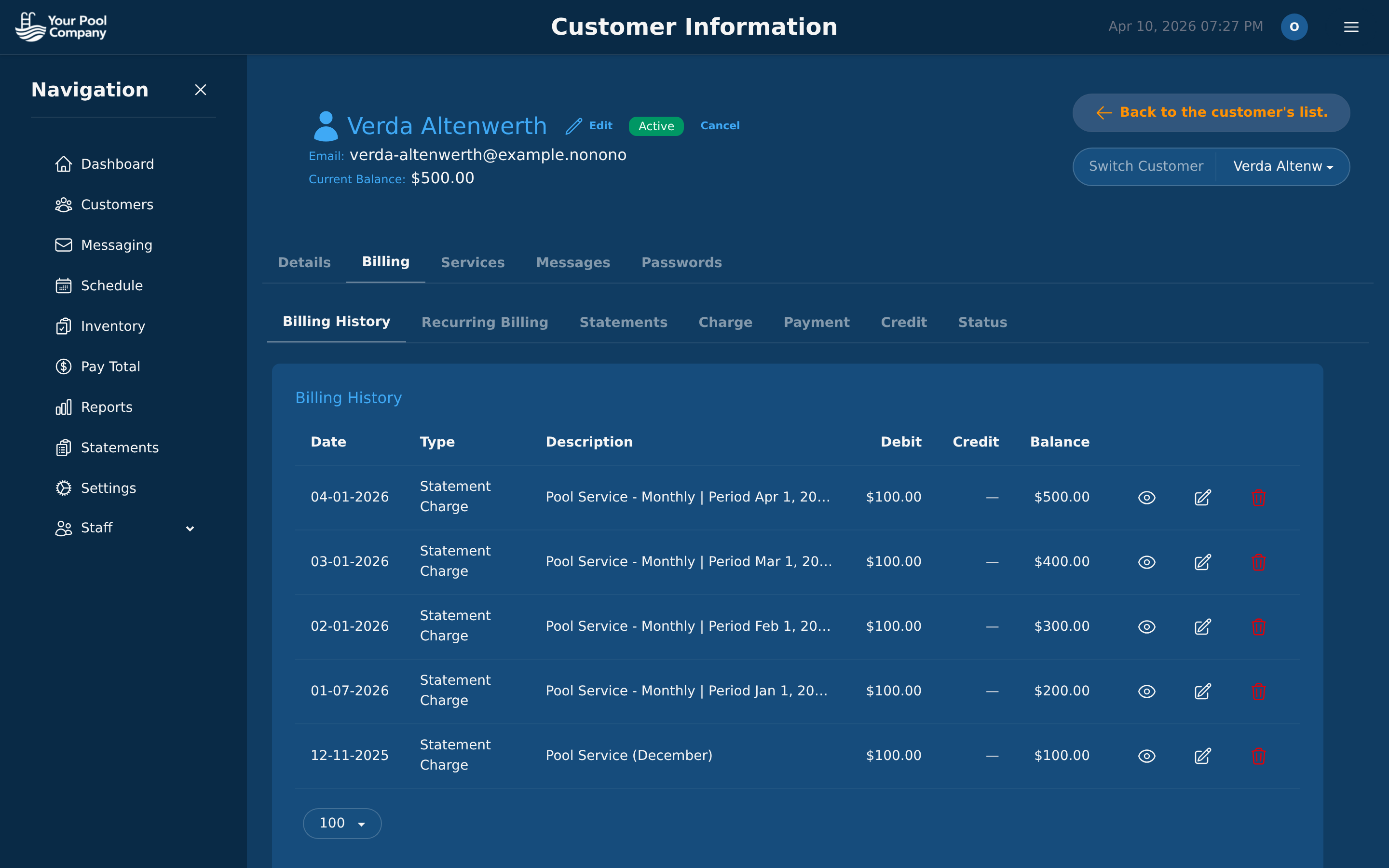
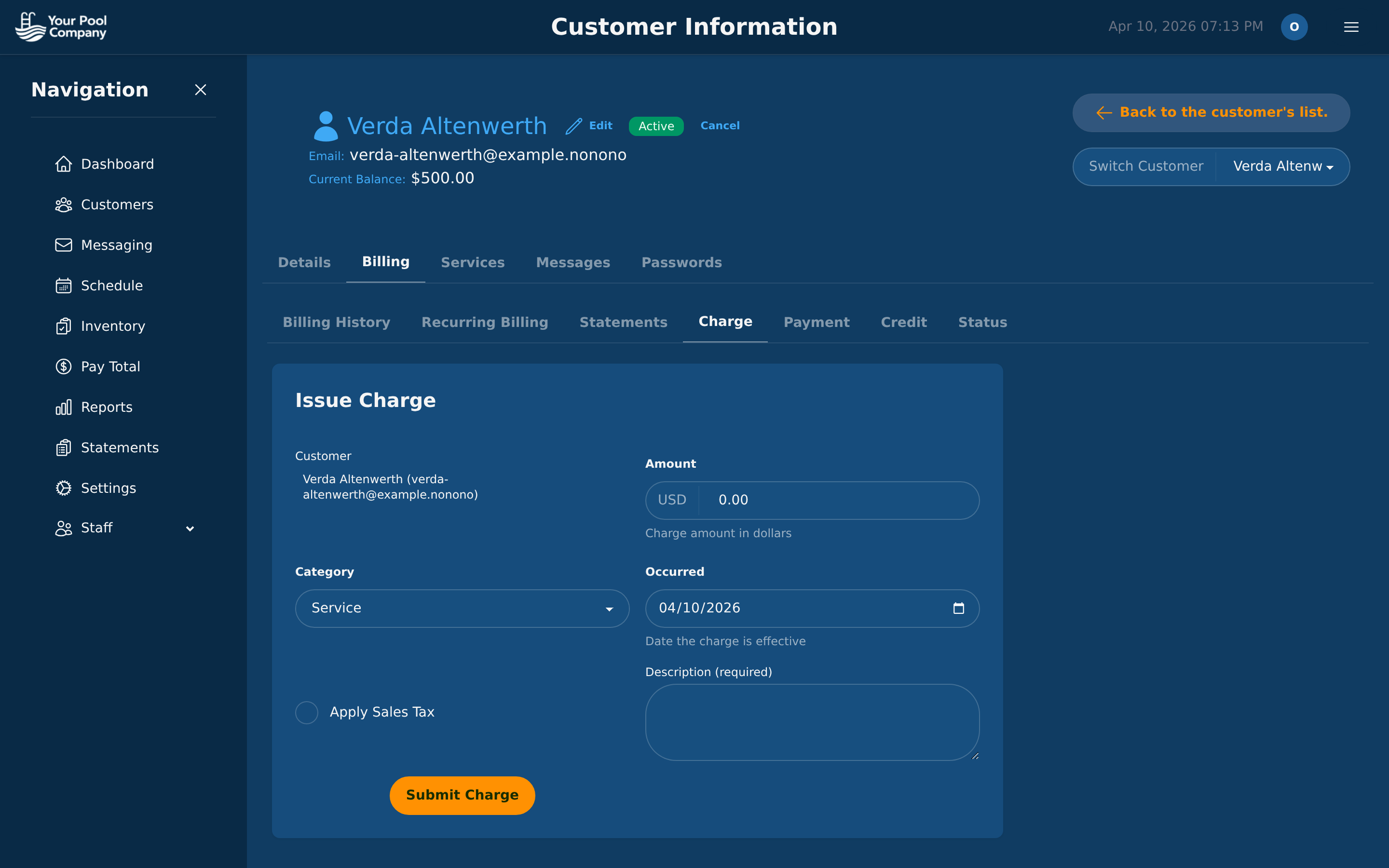
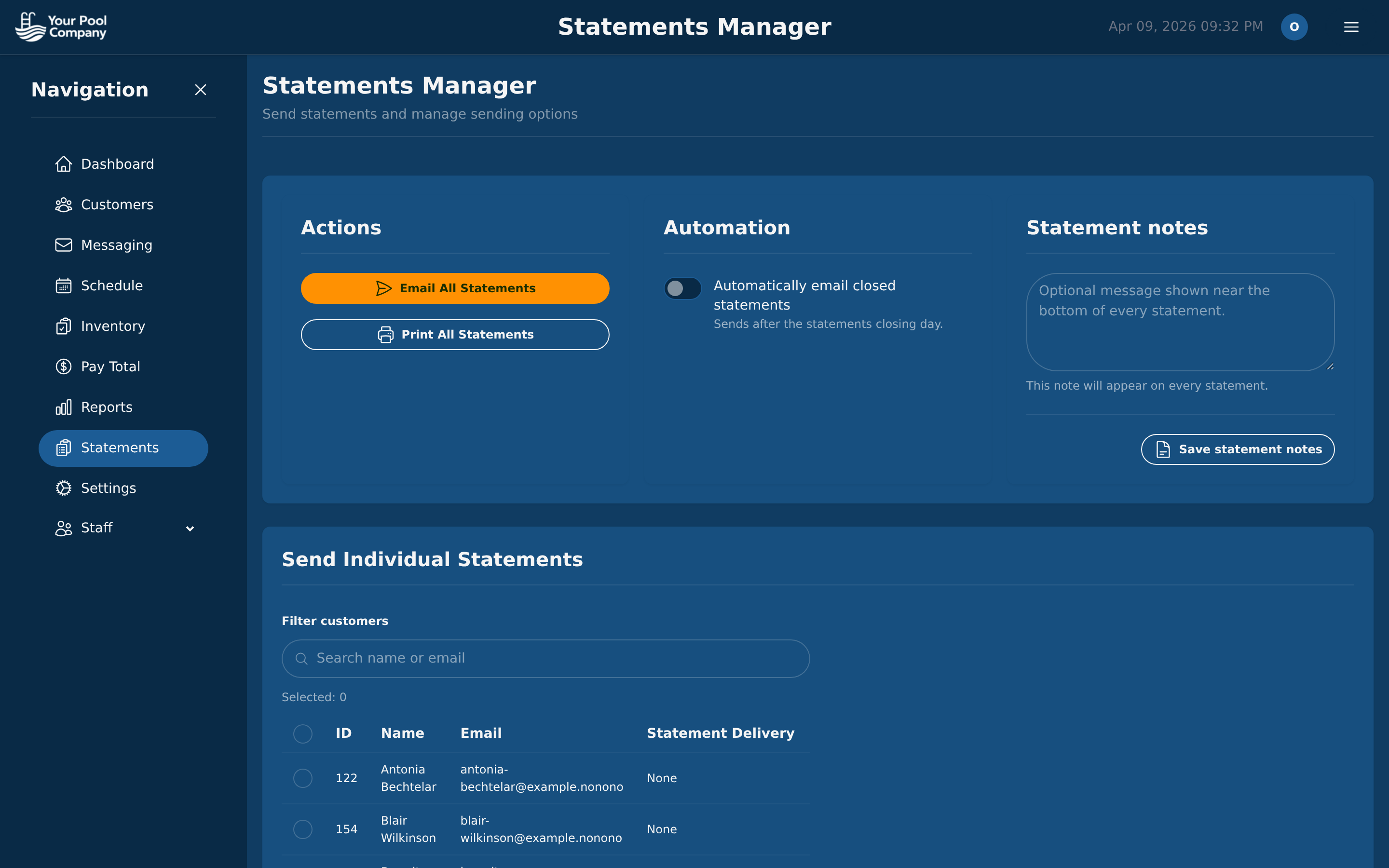
Every customer has a complete billing hub. View transaction history with running balances, manage recurring subscriptions, issue charges, record payments, and send statements — most of it happens automatically once configured.

Pool Billing Software automated billing transaction ledger with charges, payments, credits, and running balance

Transaction Ledger — automated record-keeping

Pool Billing Software charge issuance with service category, amount, and sales tax configuration

Issue Charge — categorized and tax-aware

Pool Billing Software statement manager with automated email delivery to all customers

Statements — bulk delivery automated

4

Smart Routing

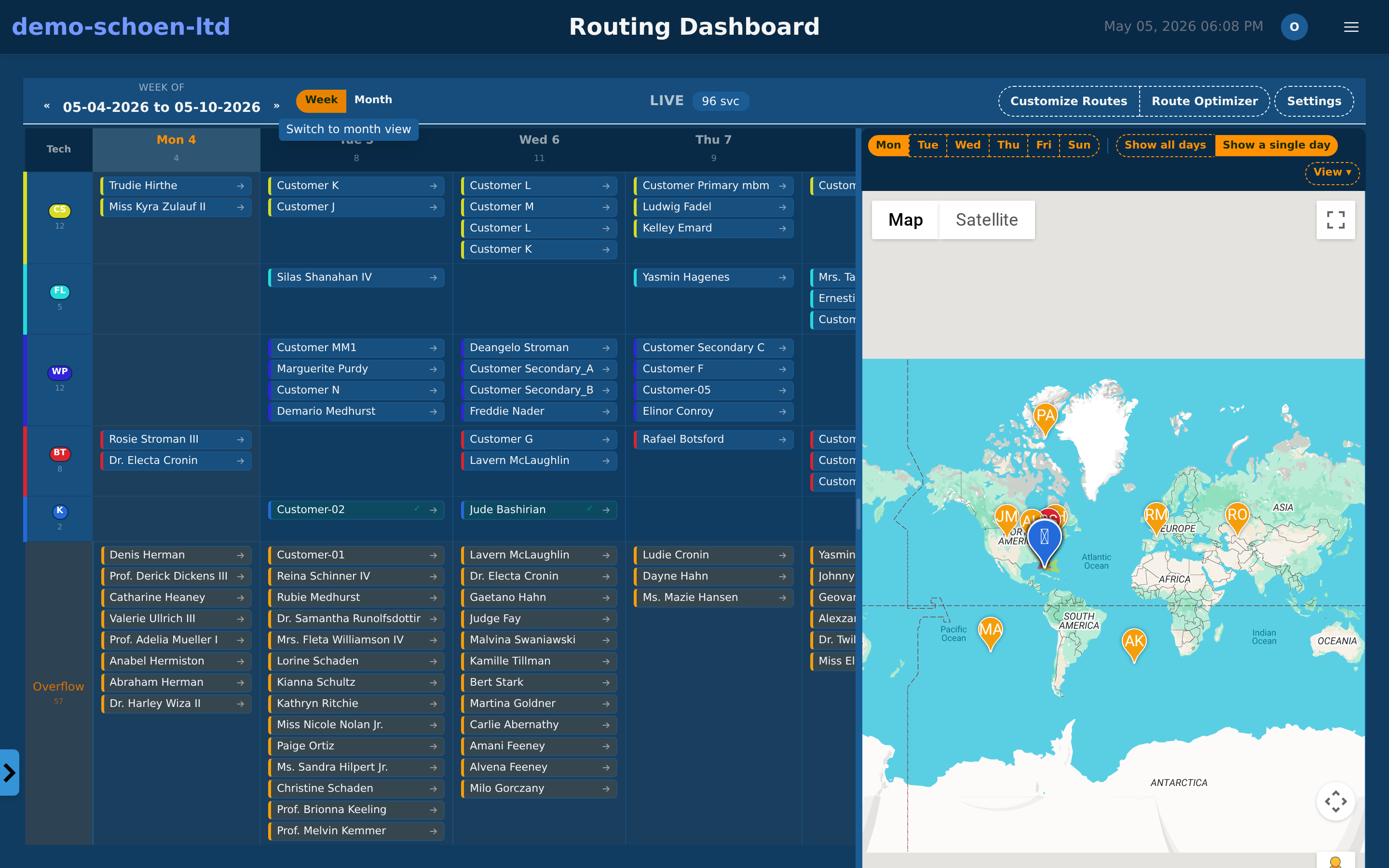
Plan your entire week from one screen. The routing dashboard pairs a technician calendar with an interactive map. The optimization engine arranges stops for minimum drive time across all routes.

Pool Billing Software smart routing dashboard showing weekly technician grid and map with optimized service stops

Routing Dashboard — calendar and map in one view

5

Field App

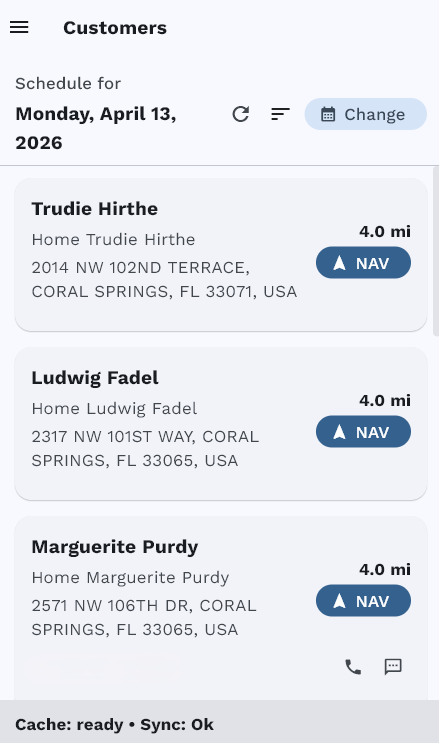
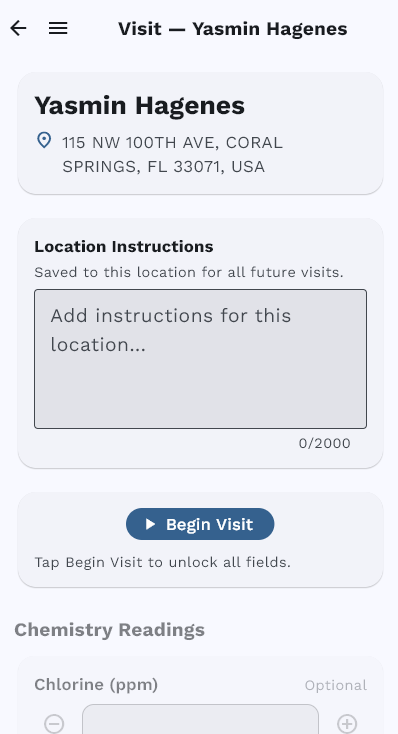
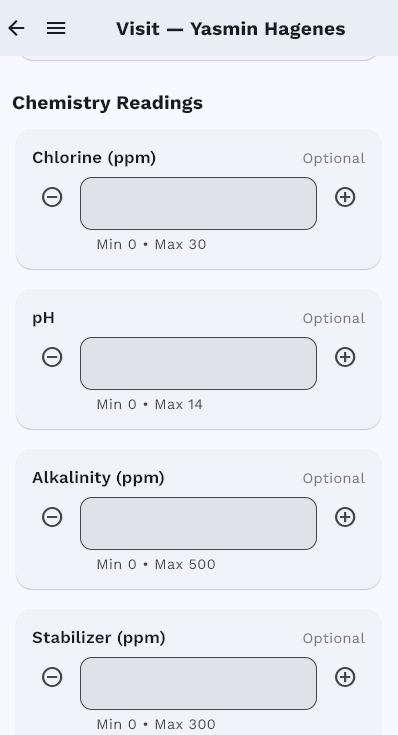
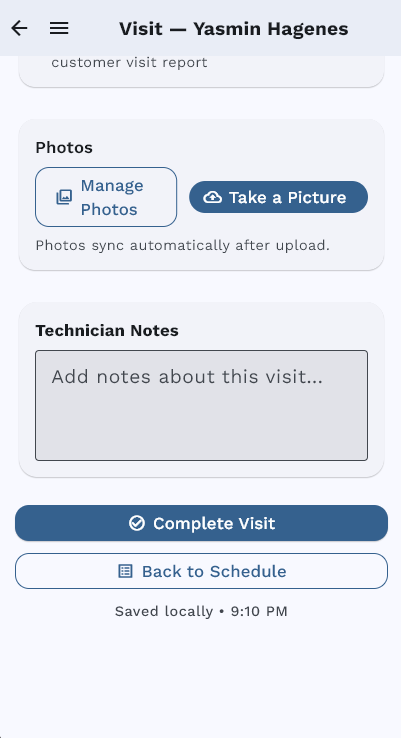
Technicians carry their optimized schedule, customer details, checklists, chemical entry, and photo capture in a native mobile app. Every visit follows a guided workflow — offline capable and fully automated.

Pool Billing Software field app daily schedule with optimized stop order

Daily Schedule

Pool Billing Software field app visit start with customer details

Begin Visit

Pool Billing Software field app chemistry entry with LSI

Chemistry

Pool Billing Software field app photo capture and visit completion

Photos & Complete

6

Customer Portal

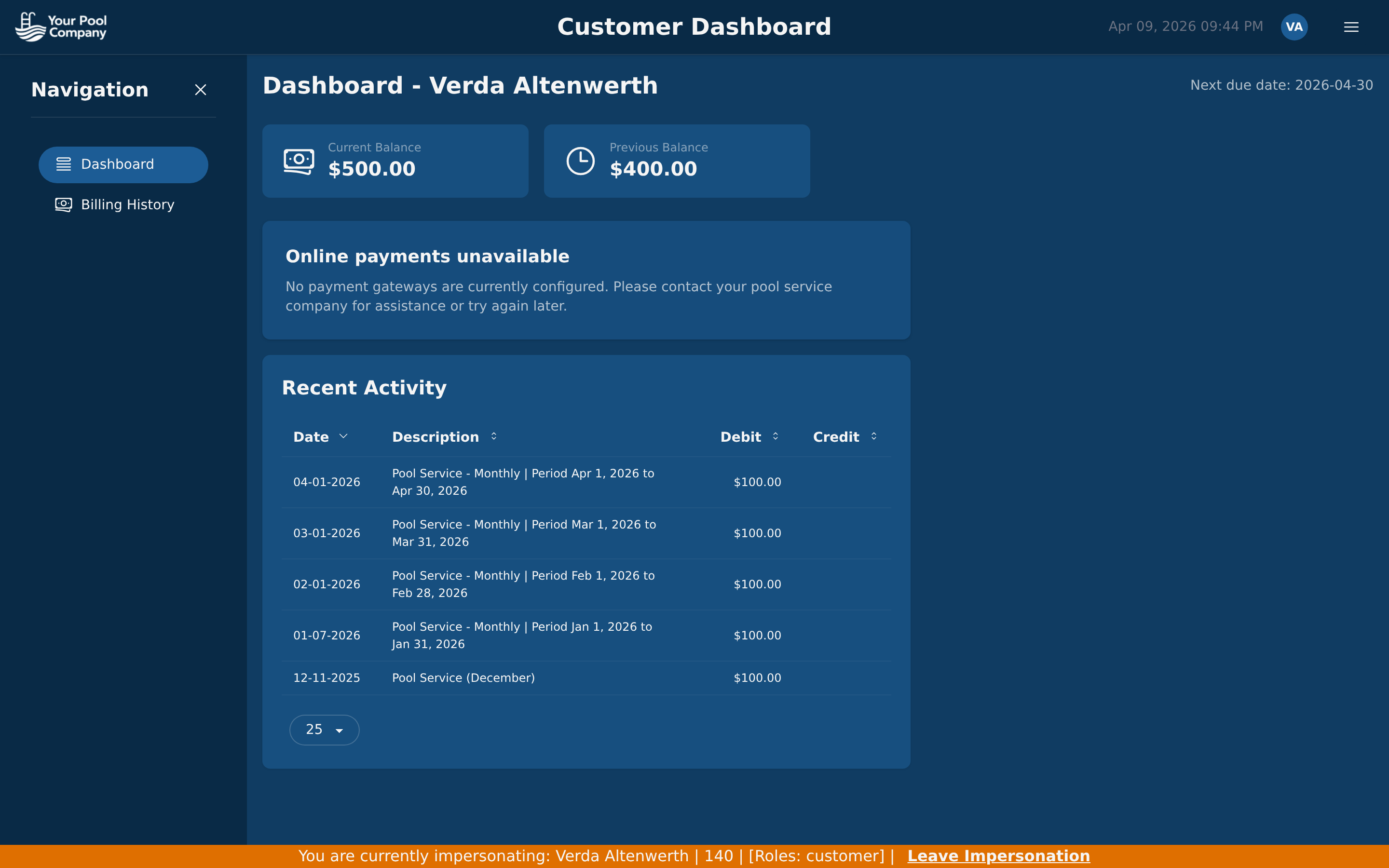
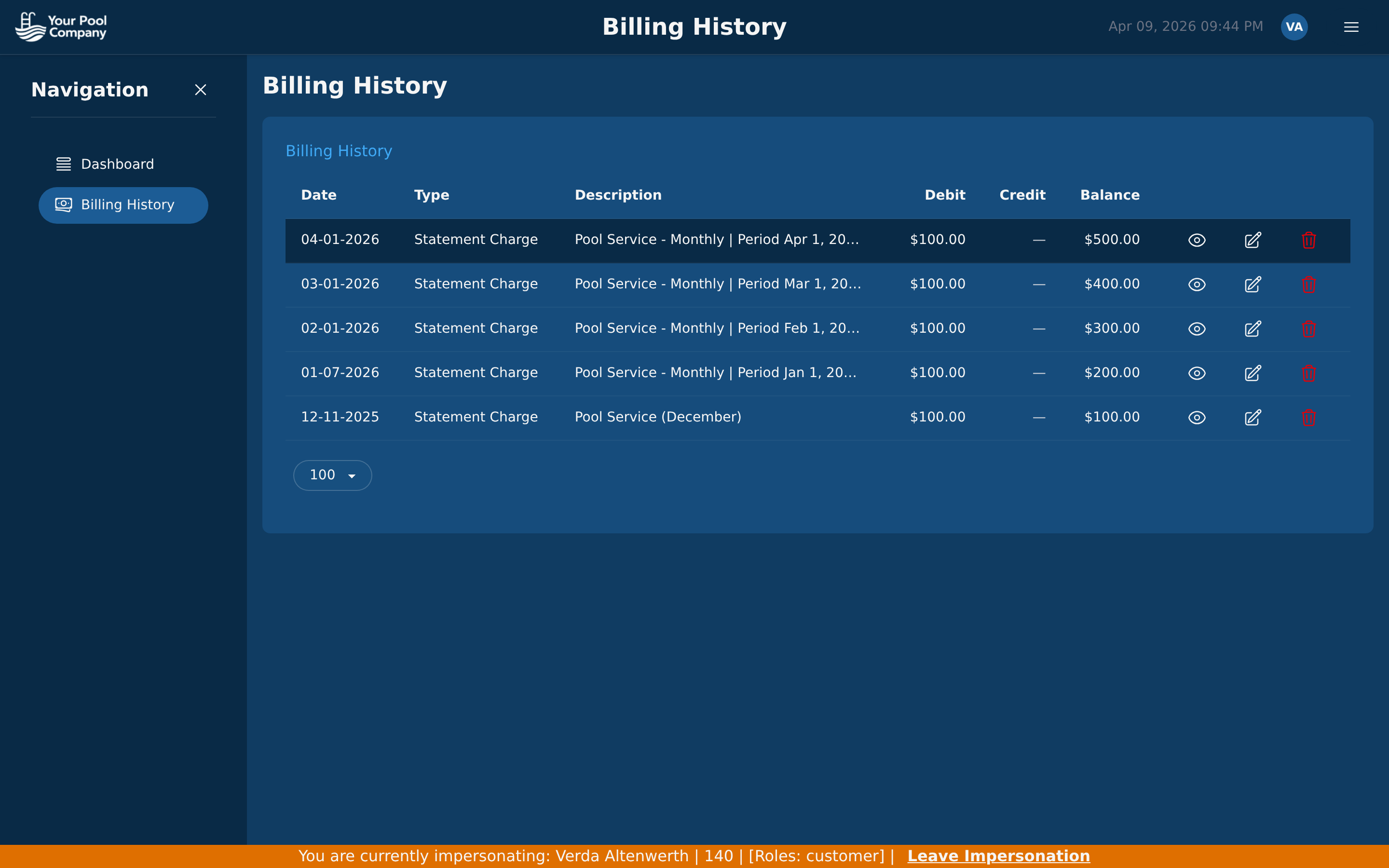
Your customers get a self-service portal for viewing invoices, making payments, setting up autopay, and reviewing their billing history — reducing your inbound calls and accelerating collections.

Pool Billing Software homeowner portal dashboard with balance, activity, and payment buttons

Customer Dashboard — balance and payments

Pool Billing Software homeowner portal billing history with itemized transactions

Billing History — complete transaction access

Want the Full Product Tour?

This is a highlights overview. For a comprehensive walkthrough of all 18 screens including inventory, payroll, team management, reports, and settings, visit the full product tour.

See the Full Product Tour

Ready to Automate Your Pool Business?

Everything you just saw is included for $35/month. No add-ons, no hidden fees. Free data migration from your current software.

No credit card required. Setup in under 30 minutes.